01
Upload
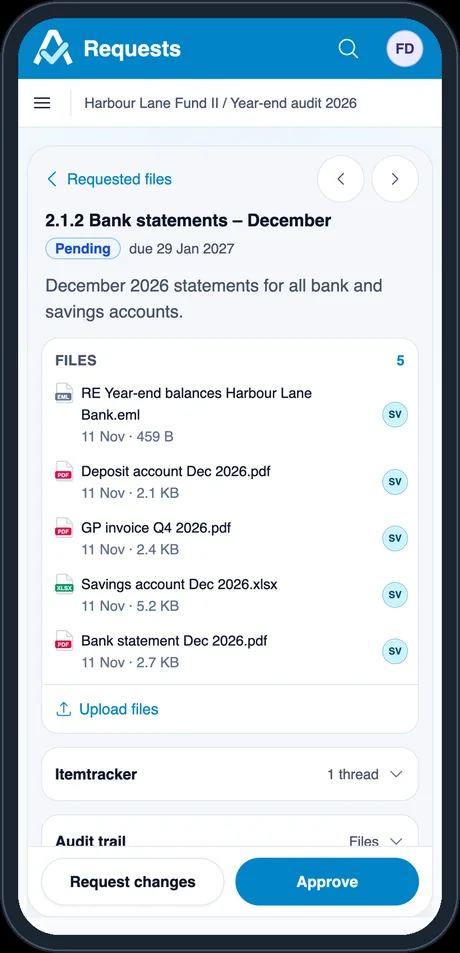
The client uploads against a clear request list. Every file gets a preview; the original is kept.
 Attest.IO audit suite
With your client, in one place.
One place where the client delivers evidence and your team checks it and asks about it. Every file, number and question stays linked to its source.
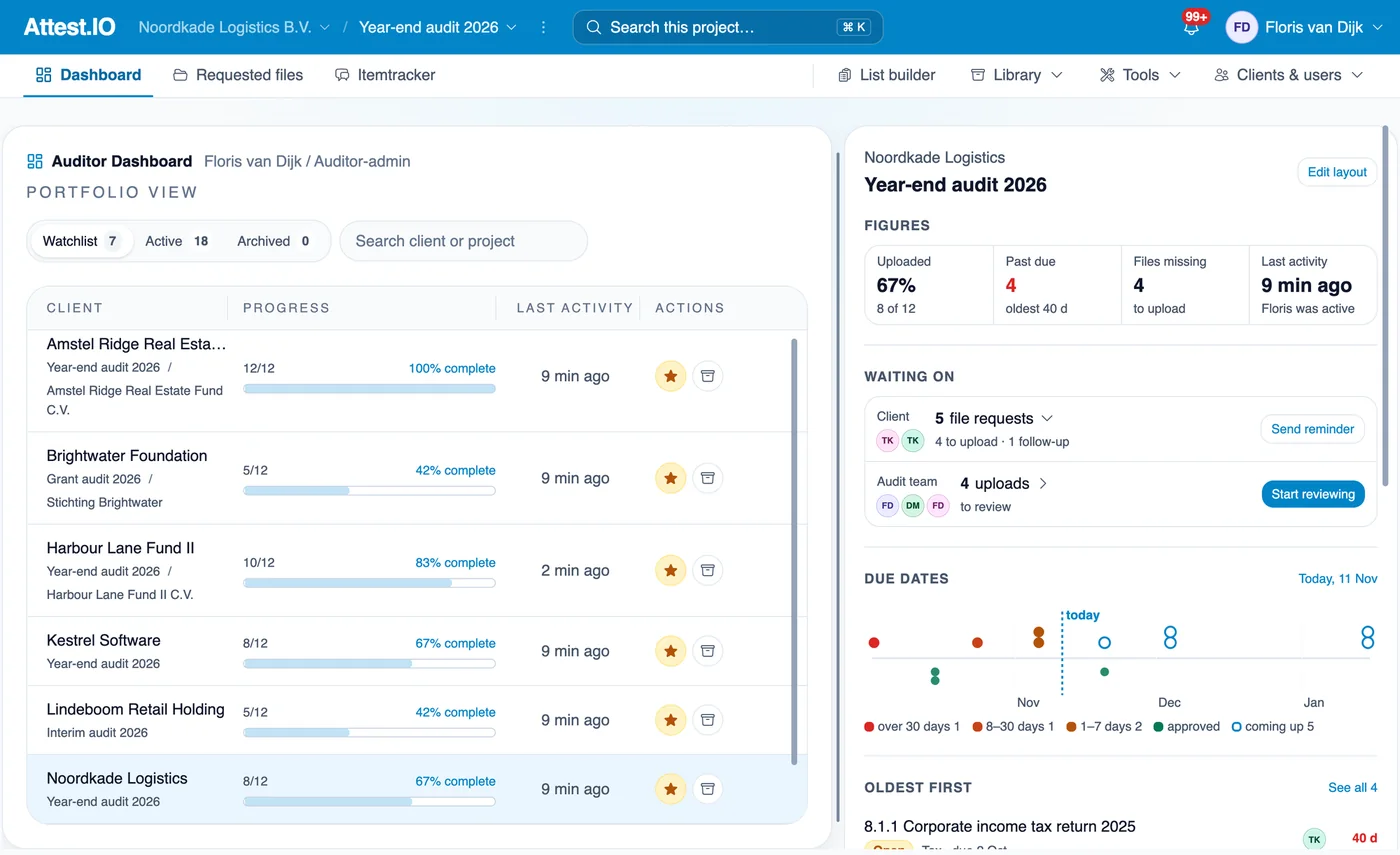
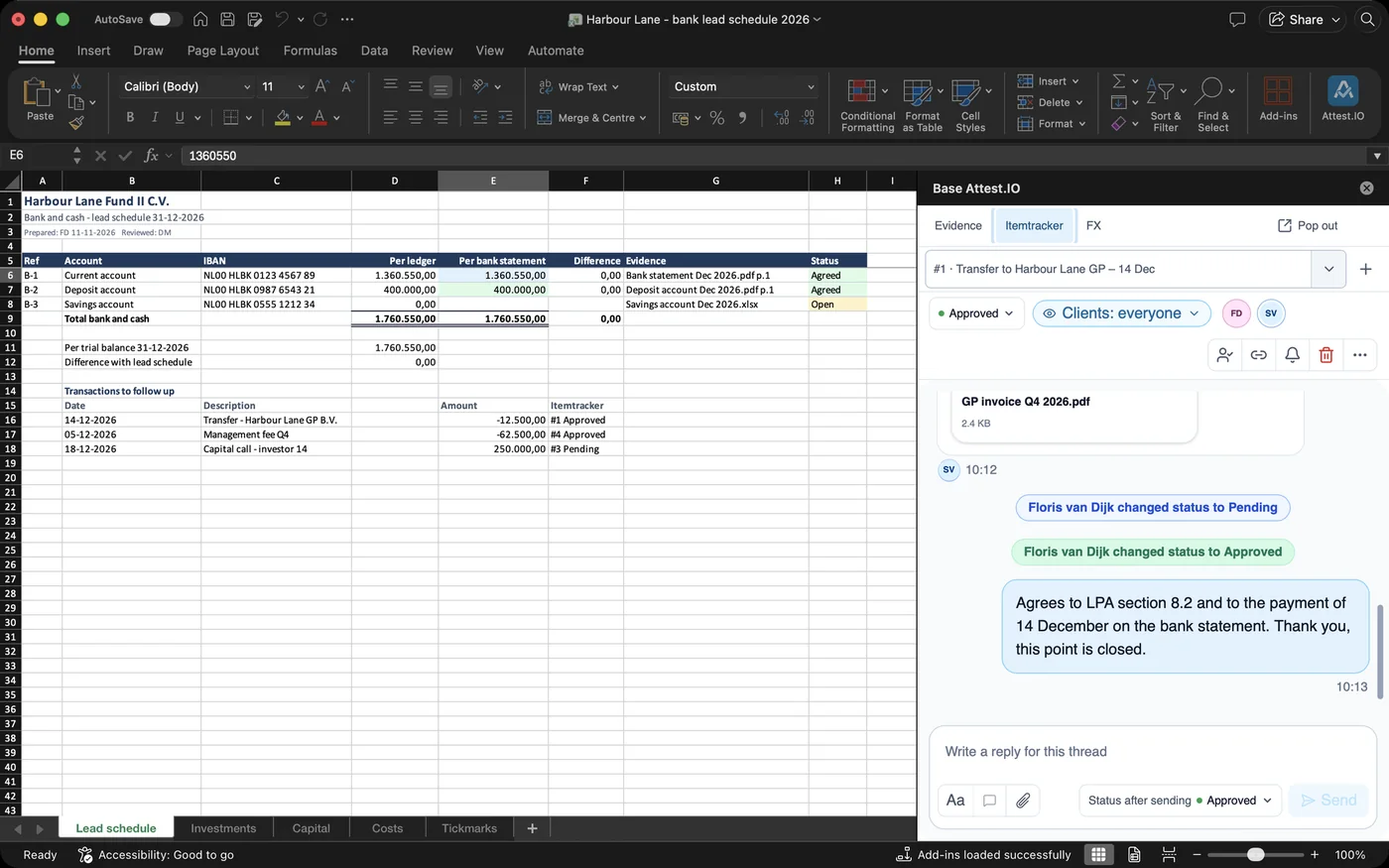
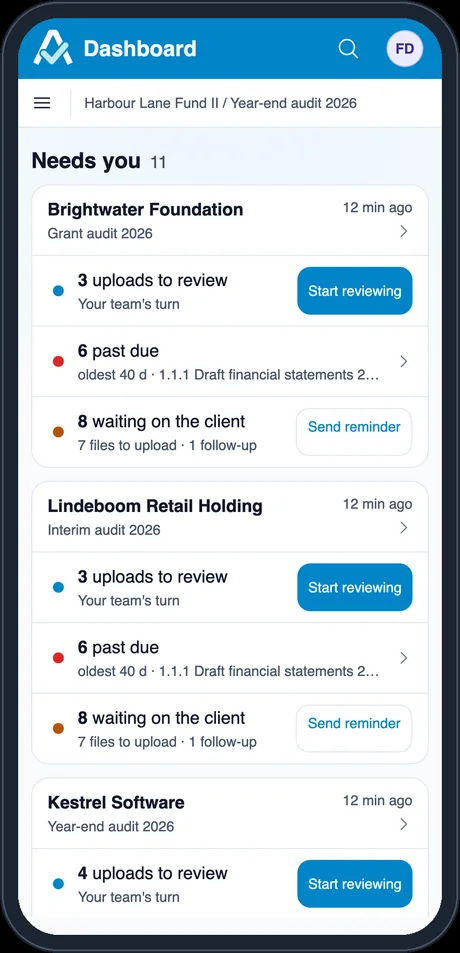
Document work usually breaks down between the steps: a file arrives by email, the question goes out in another email, and the answer refers to “page 3, the second table”. In Attest.IO the file, your check and the conversation stay together.
The client uploads against a clear request list. Every file gets a preview; the original is kept.
Check every number at its source: snips, comments, version compare and a full audit trail.
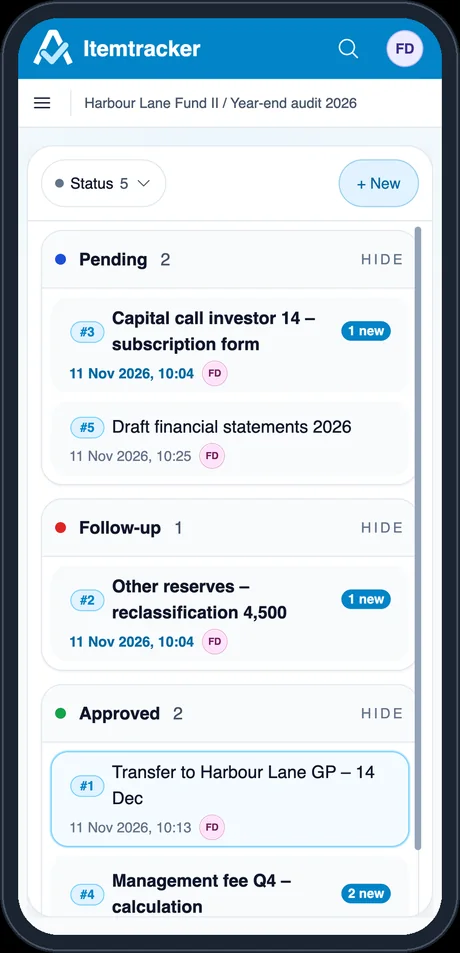
Ask and answer in one Itemtracker, next to the evidence: in the browser, in Excel or on a phone.
Click a step, or let it play
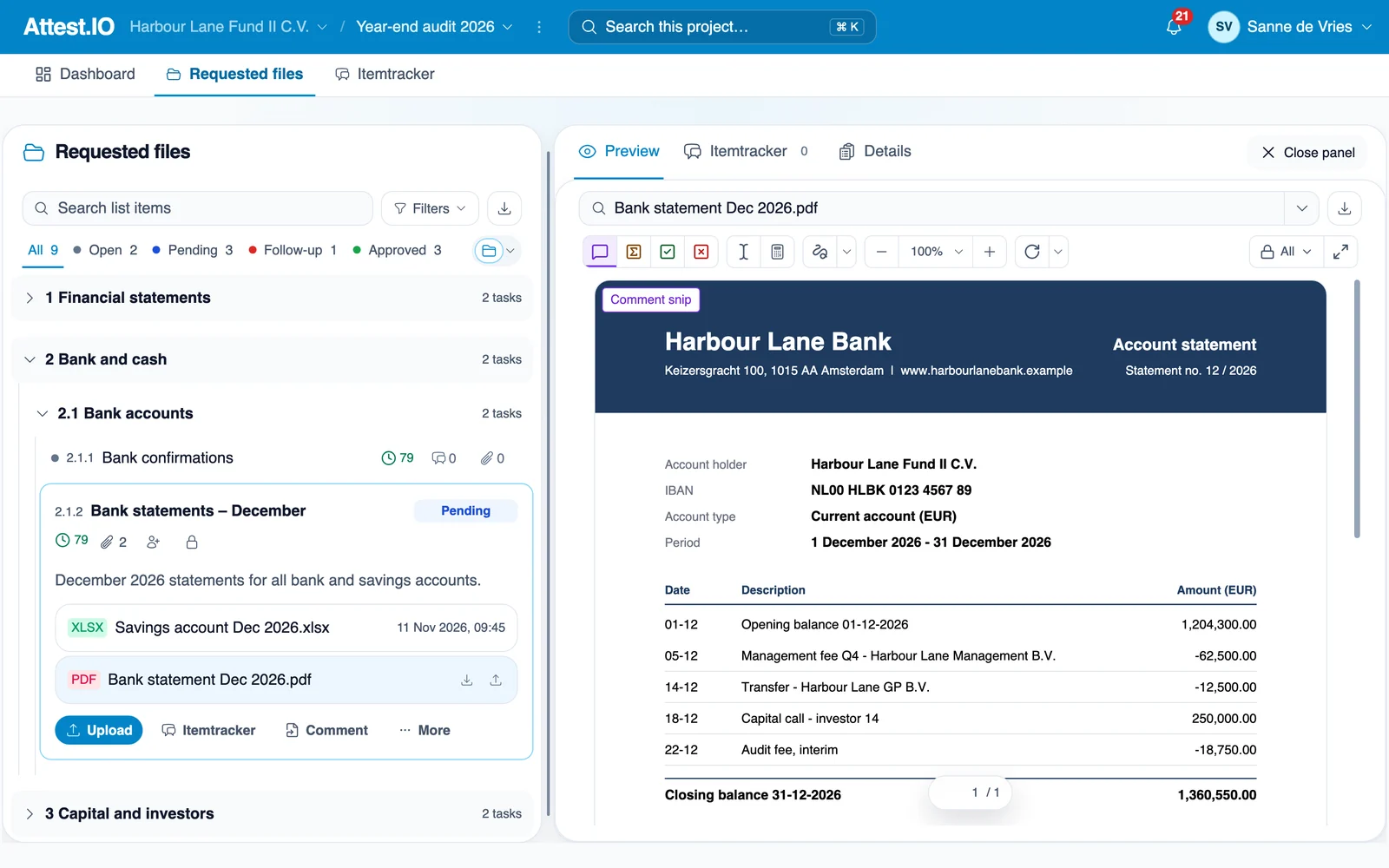
Each request shows the files delivered for it, with date, size and who uploaded.
PDF, Excel, Word, email and scans open as a page; the original is kept.
A new upload of the same file becomes version 2; older versions stay available.
Open, Pending, Follow-up and Approved show where each request stands.
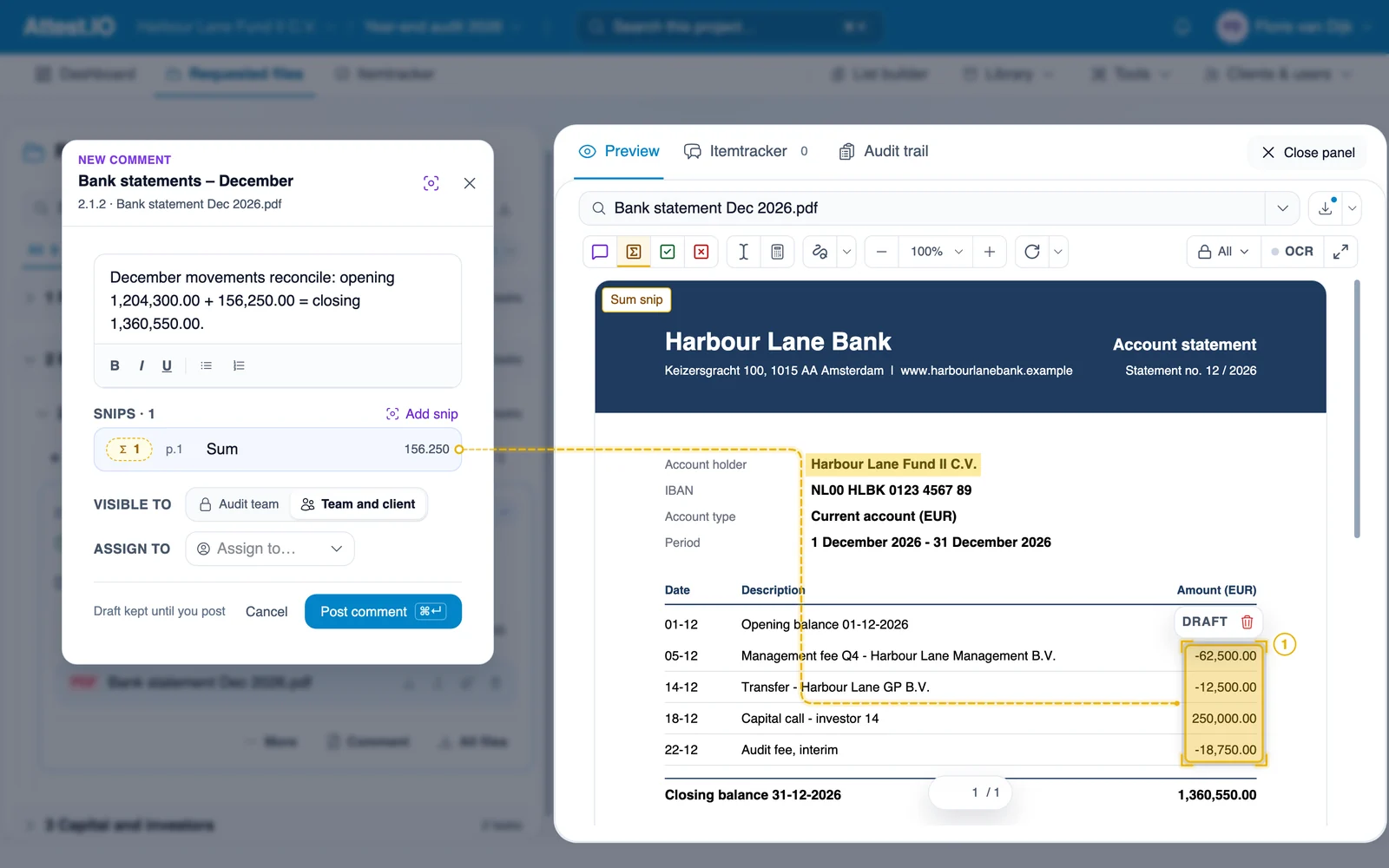
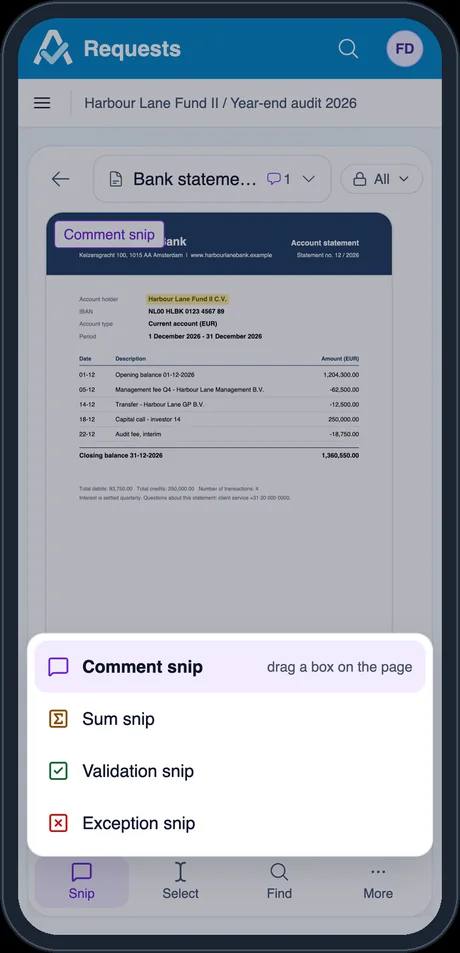
Mark a spot on the page and ask about it.
Add up amounts on the page; the total is shown and kept.
Tick a figure as agreed, with a note.
Flag a figure that does not agree.
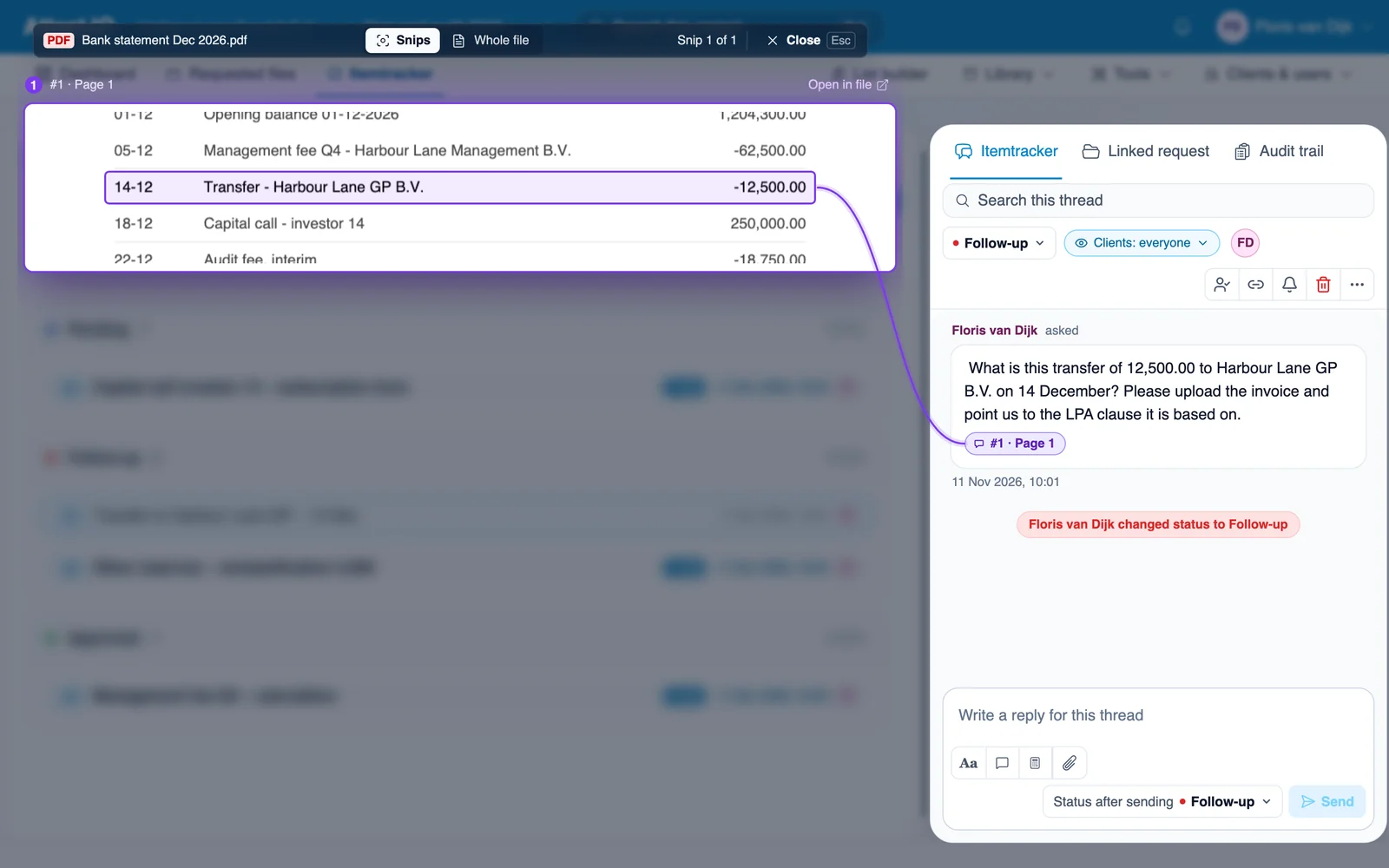
Click a snip in a thread and Focus shows that spot, enlarged, beside the conversation.
Switch to the whole document without losing your place.
Reply, attach a file or change the status while the evidence stays in view.
Who asked what, when, and on which version, in a log that cannot be changed.
Every file, number and question stays linked to its source.
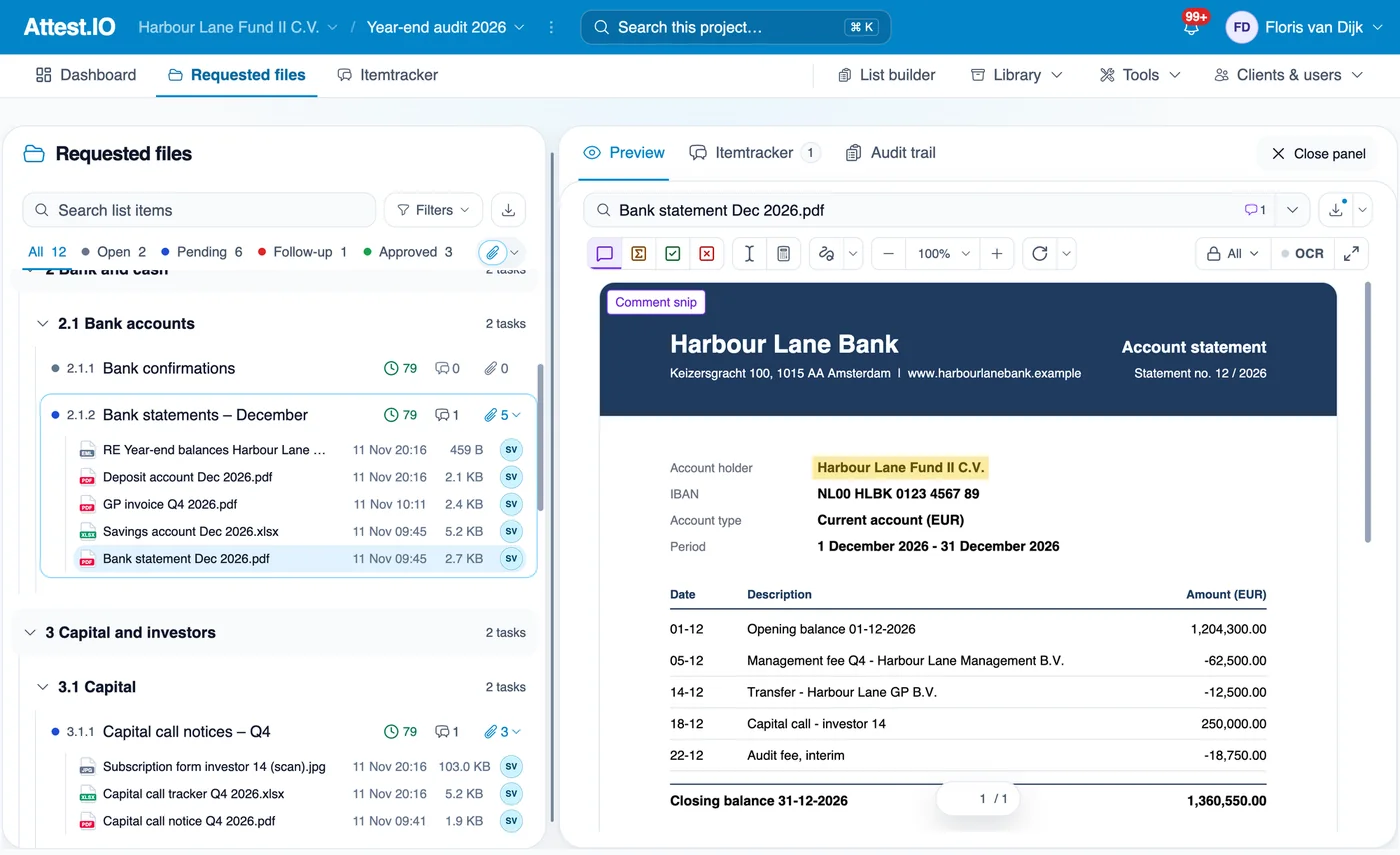
For the client and the audit team: requests, files, review and the Itemtracker.
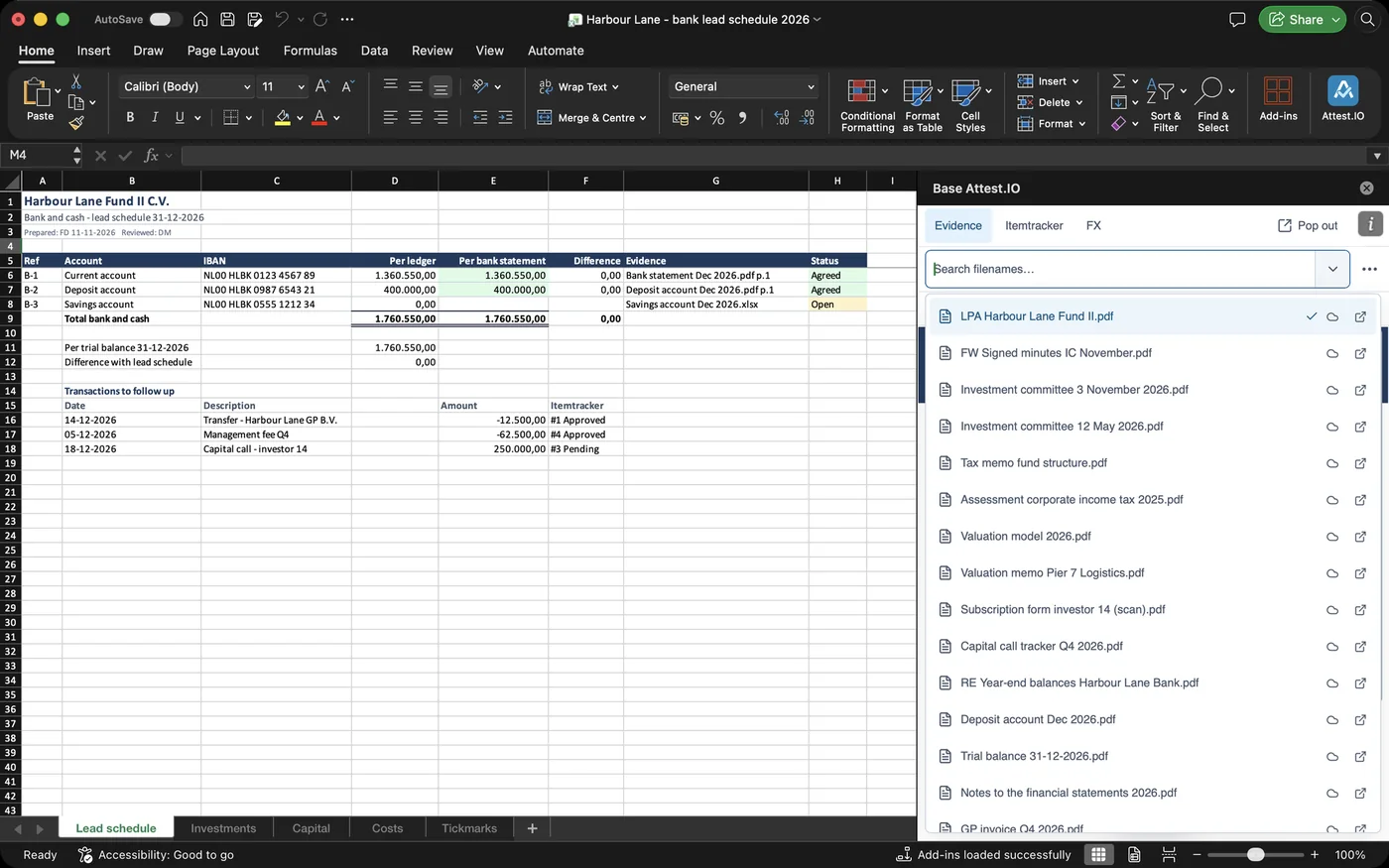
The same files and threads in a side panel; snip values straight into the cells.
The Attest.IO add-in opens the project next to your lead schedule. Also in Word and PowerPoint.
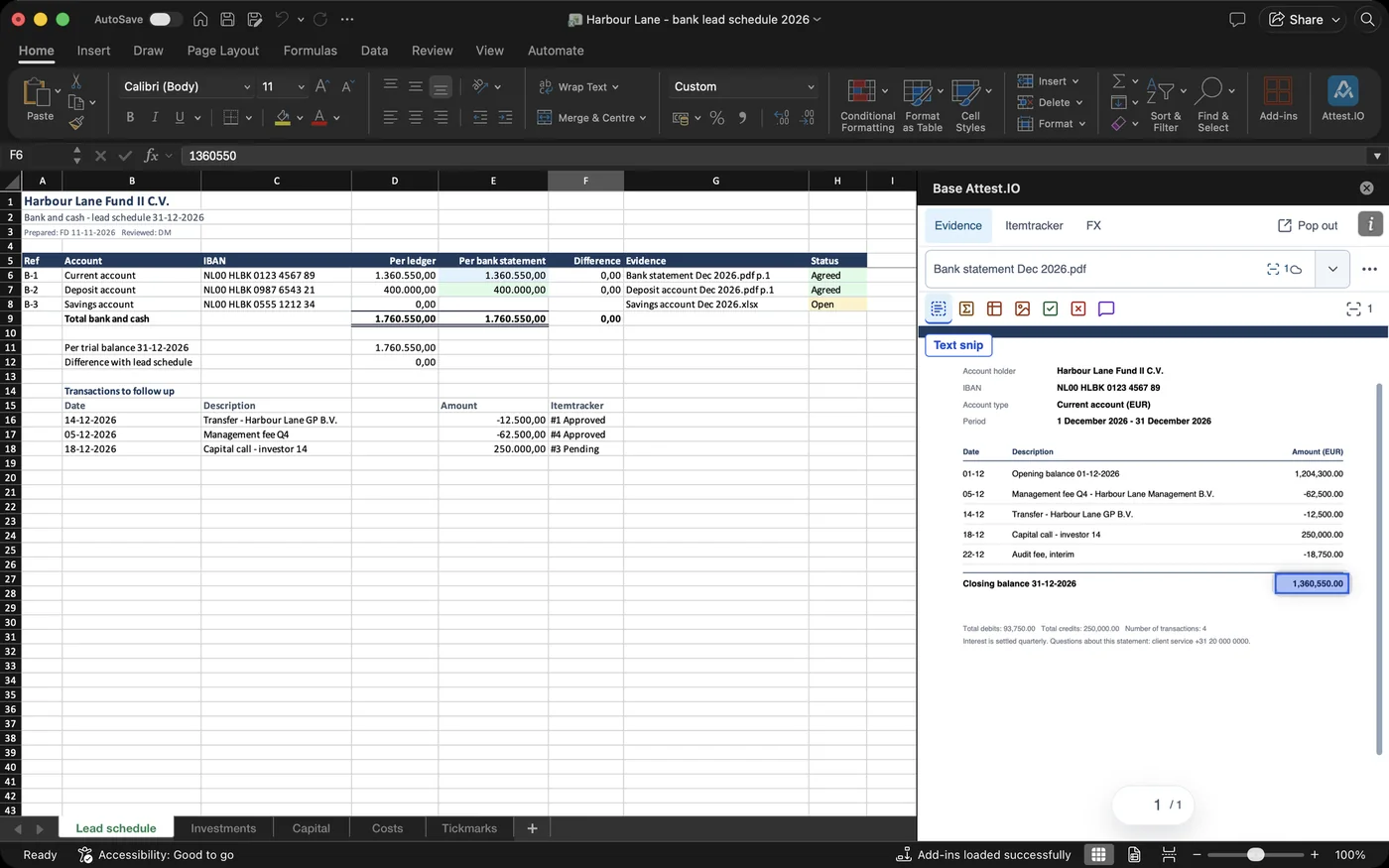
Select a cell and draw a snip on the statement: the number lands in the cell.
Dutch 10.120,21 and English 10,120.21 both arrive as numbers.
Select the cell and the panel opens the file at that spot.
Validation and exception snips work as in the browser.
Nothing to install: open Attest.IO in the phone’s browser and sign in with the same account.
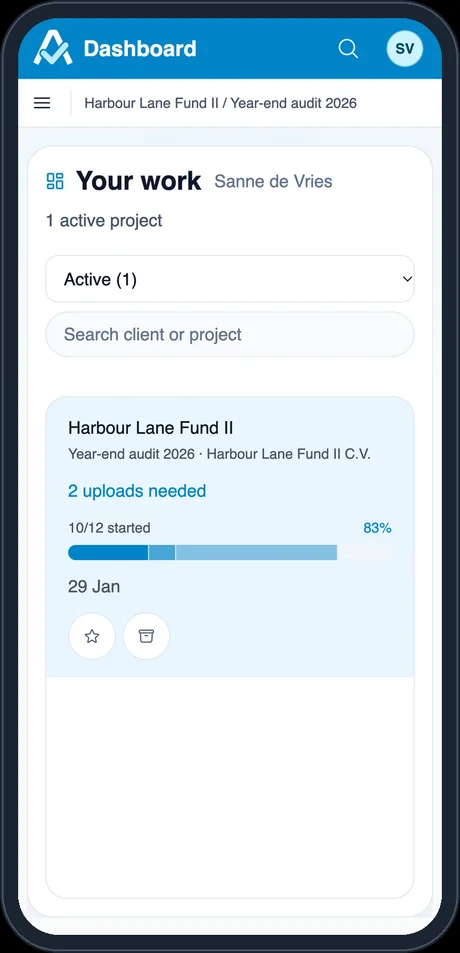
Every engagement at a glance: progress, who is waiting and what is due.
Build the request list for an engagement; it saves as you type.
Start from your firm’s standard lists: audit, CDD check, assurance, compilation.
Reference files and attachments, shared with the firm or kept personal.
Any two files, or two versions of one file, side by side.
Files, requests, Itemtracker threads and text inside PDFs.
Notifications, reminders by email and in the app, downloads and saved compares.
A firm-wide audit trail; manage clients, users and access.
All three run on the same secure Attest.IO platform, hosted in the EU.
Requests, evidence, snips and the Itemtracker for audits and reviews, with the Excel add-in for internal audit, tax and controlling.
The data room for fund closings: every closing document with its status, signature and investor access in one place.
Your organisation’s templates inside Word, Excel and PowerPoint: fill in a few fields and the document updates as you type.
Audit evidence and fund documents are confidential. Attest.IO is built and hosted with that in mind.
HTTPS with TLS 1.2 or higher; stored files are encrypted with AES-256.
Customer data is kept apart inside the database, enforced row by row.
Restrict a file to named team members and clients; others can ask for access.
Your organisation’s account, including its multi-factor policy.
Actions are recorded in a log that cannot be edited or deleted.
Each upload is stored with a fingerprint of its contents.
Recovery to any point in time and a locked backup vault; restores are tested.
Keys and passwords are kept in Azure Key Vault, separate from the application.
Chartered accountant (RA, the Dutch CPA) with more than nine years of audit experience at financial services companies, including investment funds. Rolf has seen how much audit time goes into chasing documents and explaining which number you mean, and designed Attest.IO to take that work away.
Senior software developer who studied Mathematics. Joris is Head of AI at a company based in Silicon Valley and leads the engineering of Attest.IO.
Bring one recurring request, such as December bank statements. We show you how it moves from upload to approval.